
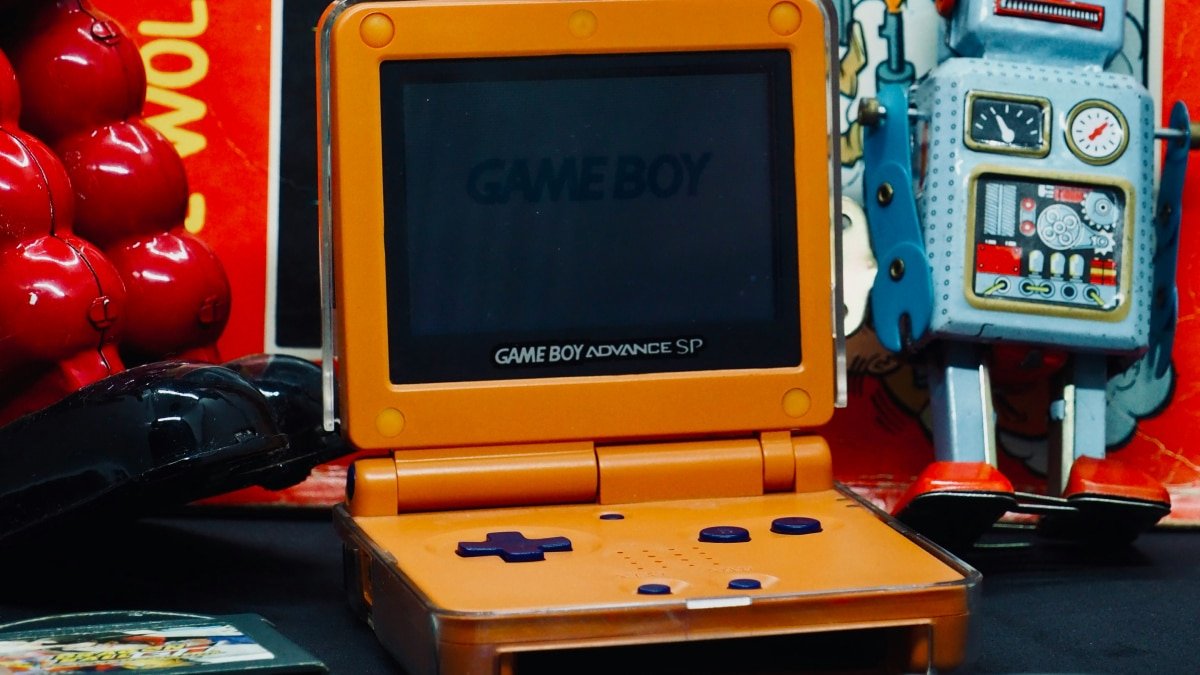
If your Game Boy Advance SP barely holds a charge, refuses to power on, or shows signs of battery swelling, it may be time for a Game Boy Advance SP battery replacement rather than retiring your handheld. After 15 to 20 years, the original lithium-ion pack inside the GBA SP naturally degrades, losing capacity and sometimes becoming a safety concern. This guide explains how to choose a safe replacement, understand AGS-001 and AGS-101 compatibility, and install a new Game Boy SP battery step by step, even if you have never opened a console before.
This guide contains affiliate links. As an Amazon Associate, Console Canyon earns from qualifying purchases, at no extra cost to you. Learn more.
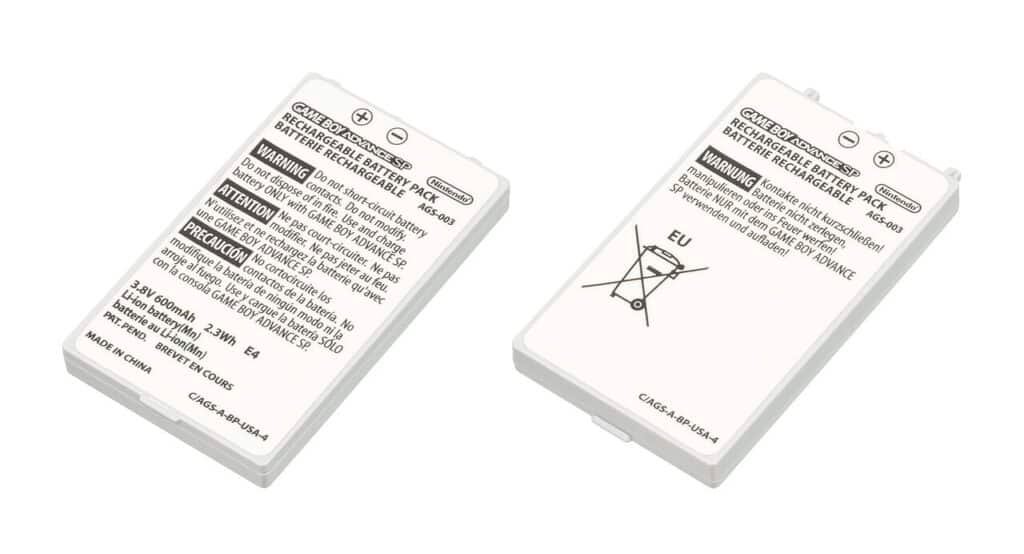
Table of Contents
Can You Replace a Game Boy Advance SP Battery?
Yes. The Game Boy Advance SP uses a removable rechargeable lithium-ion battery pack that is designed to be user-replaceable through a small door on the bottom of the shell. As long as you choose a compatible 3.7V lithium-ion pack and follow basic safety precautions, you can complete a GBA SP battery replacement at home without soldering.
Understanding the GBA SP Battery and Why It Wears Out
The original Game Boy Advance SP rechargeable battery is a single-cell lithium-ion pack. Nintendo originally specified roughly 10 hours of play with the light on and up to 18 hours with the light off on a new unit. Nintendo’s manual also noted that, after approximately 500 charge cycles, battery performance could fall to about 70% of its original capacity. Real-world aging over decades can reduce capacity even further.
Inside every lithium-ion cell, chemical changes gradually increase internal resistance and reduce usable capacity. Heat and long periods of storage at a full charge can accelerate that process. That is why an older GBA SP may go from a green LED to red quickly, shut off unexpectedly, or refuse to hold a charge even when the console itself is still functional.
AGS-001 vs. AGS-101: Model Differences and Battery Compatibility
The GBA SP exists in two main retail variants:
- AGS-001: A front-lit screen that is dimmer but generally more power efficient.
- AGS-101: A backlit screen that is brighter and more evenly lit, but can draw more power.
From the outside, both models use the same battery door and similar-looking replacement packs often sold as “Game Boy Advance SP battery 3.7V 850 to 900 mAh.” Many aftermarket batteries list both AGS-001 and AGS-101 as compatible, meaning they are intended to fit physically and supply the correct voltage.
There are still a few important caveats:
- Connector differences: Some original packs and aftermarket replacements may use different connector layouts or wire counts. Confirm that the new connector matches the socket and orientation in your handheld before forcing anything into place.
- Voltage rating: The console’s charging circuit is designed for a nominal 3.7V lithium-ion battery. Reputable replacements may be labeled 3.6V or 3.7V, but they should be explicitly designed for GBA SP use.
- Physical dimensions: A pack that is thicker than the original can prevent the battery door from closing or put pressure on the shell and hinge. Always compare dimensions and product photos before ordering.
In practice, many modern packs marketed as AGS-001 and AGS-101 compatible are drop-in replacements for both models. Still, inspect the connector and battery size before installation. When in doubt, choose a battery from a reputable seller that specifically lists your model in its compatibility information.
Before You Buy: Voltage, Capacity, Fit, and Safety
Before ordering a GBA SP battery replacement or an AGS-001 or AGS-101 battery replacement pack, verify a few technical details.
Battery type and nominal voltage
The GBA SP is designed for a single-cell lithium-ion battery with a nominal voltage of 3.7V and a fully charged voltage around 4.2V. Some listings use “3.6V” or “4.2V max” in their descriptions. What matters is that the pack is made for 3.7V lithium-ion operation and specifically fits the GBA SP battery compartment.
Wrong voltage: Do not use a significantly higher-voltage pack, such as a 7.4V dual-cell battery or a power-tool battery. It can damage the console and create a serious safety risk.
Capacity in mAh and realistic expectations
Most modern replacement packs advertise capacities in ranges such as these:
- Standard or OEM-style packs: Approximately 750 to 900 mAh.
- “Upgraded” or “high-capacity” packs: Commonly advertised at 1,000 to 1,600 mAh or more.
For reference, Nintendo’s original GBA SP battery pack (part number AGS-003) was rated at 600 mAh.
A large number printed on a generic battery is not a guarantee of real usable capacity. Some low-cost packs advertising 1,600 mAh may deliver considerably less under sustained gameplay, particularly in a backlit AGS-101 or a modded handheld using a flash cartridge.
Connector and fitment compatibility
Before purchasing a battery:
- Check that the listing specifically names Game Boy Advance SP, AGS-001, AGS-101, or the original battery part number, AGS-003.
- Compare the connector shape, wire arrangement, battery thickness, and mounting tab with the pack currently inside your console.
- Confirm that the battery is thin enough for the compartment cover to close normally without pressure.
If your console has been reshelled or modified with an IPS display, audio amplifier, USB-C charging board, or other upgrades, available internal space may differ from stock. Choose fitment based on your actual configuration rather than assuming every battery will fit.
Quality and safety concerns with generic lithium-ion batteries
Generic lithium-ion batteries are not automatically unsafe, but quality can vary widely. Lower-quality cells may swell prematurely, heat up during charging, have weak protection circuits, or fail after relatively few charge cycles.
Potential warning signs include:
- Missing or inadequate protection against overcharging, over-discharging, short circuits, or overheating.
- Unstable voltage that causes dim screens, sudden shutdowns, or inaccurate low-battery behavior.
- Poor assembly quality, loose wiring, damaged wrapping, or no clear voltage and capacity markings.
Fire risk: Lithium-ion failures can cause heat, chemical venting, burns, and fires. Buy from sellers that provide complete specifications, realistic product photos, clear return policies, and credible customer feedback about long-term use.
Why inflated mAh ratings may be misleading
A higher capacity label does not automatically mean longer or safer runtime. Some batteries advertised as 1,600 mAh may be built with cells that sag in voltage under load. The GBA SP can then shut down early, even if the battery is not theoretically empty.
A well-designed 850 to 950 mAh battery from a reputable source may perform better in actual gameplay than a generic pack with a much larger printed number. Treat unusually high capacity claims with caution, especially when the battery is the same physical size as a standard pack.
Are aftermarket high-capacity batteries worthwhile?
Aftermarket high-capacity batteries can be worthwhile when they:
- Maintain the correct nominal 3.7V voltage.
- Fit the battery compartment without forcing the door closed.
- Include appropriate protection circuitry.
- Come from a seller with credible specifications and a reliable reputation.
More extreme capacity modifications, including 18650 conversions, tool-battery projects, and packs requiring shell cuts, are better suited to experienced modders. They can alter the handheld’s weight, balance, safety profile, and internal layout.
Practical Battery Options for the GBA SP
| Battery option | Typical advertised capacity | Advantages | Drawbacks | Best for |
|---|---|---|---|---|
| OEM-style replacement pack | About 750 to 900 mAh | Usually offers a simple drop-in fit and familiar stock-style operation. | It may not be genuine Nintendo OEM stock, and runtime may be modest. | Casual players who want an original-style restoration. |
| Reputable aftermarket pack | About 850 to 950 mAh | Can offer dependable performance, sensible specifications, and better quality control than unknown generic packs. | Usually costs more than the cheapest listings. | Players who use their GBA SP regularly and want a dependable replacement. |
| Generic “high-capacity” pack | About 1,000 to 1,600 mAh, though claims may be overstated. | Low purchase price and potentially longer runtime. | Capacity claims may not be accurate, fit and protection quality can vary, and swelling risk may be higher with poor-quality cells. | Budget buyers who are willing to research the seller carefully. |
| Mod-style large-cell solution | Often more than 1,000 mAh. | Can provide long runtime and better support for power-hungry screen or audio modifications. | May require shell modification, custom wiring, or advanced electronics skills. | Experienced modders building a customized GBA SP. |
Step-by-Step GBA SP Battery Replacement Guide
Replacing the Game Boy Advance SP rechargeable battery is a manageable project with basic tools and careful handling.
Tools required
- A small JIS #00 screwdriver or snug precision Phillips screwdriver for the battery-cover screw.
- A compatible 3.7V GBA SP battery replacement.
- Optional plastic spudger or guitar pick for gently lifting a battery.
- Optional non-metal tweezers for handling a connector.
Shop on Amazon: JIS #00 screwdrivers · plastic spudgers · GBA SP replacement batteries
Safety precautions for swollen or damaged batteries:
- If the old battery is visibly swollen, leaking, hot, damaged, or smells strongly of chemicals, stop using and charging the console.
- Do not puncture, crush, bend, cut, or disassemble a lithium-ion battery. Damaged cells can vent flammable material or ignite.
- Work on a non-flammable surface away from paper, cloth, solvents, and other combustible items.
- If the battery is severely swollen, stuck, corroded, or difficult to remove, do not force it out. Take the console to a qualified repair shop or seek guidance from a household hazardous-waste program.
1. Power down and inspect the system
- Slide the power switch to OFF and unplug the charger.
- Remove any game cartridge.
- Inspect the bottom of the console for a battery cover that appears raised or distorted. A bulging door can be a sign of a swollen battery.
2. Remove the battery cover
- Place the console face-down on a clean, soft surface.
- Use a properly fitting JIS #00 or precision Phillips screwdriver to loosen the battery-door screw. Apply steady downward pressure to reduce the risk of stripping it.
- Lift and remove the battery cover, then place the cover and screw somewhere safe.
3. Safely remove the old battery
- If the battery looks flat and normal, use the pull tab or accessible edge to lift it out gently.
- If it is slightly stuck, use a plastic spudger or guitar pick around the edge. Do not use a sharp metal tool that could puncture the battery.
- Do not pull hard on the battery wires. Disconnect the plug from the console socket gently and straight, without twisting or forcing it.
- Set the old battery aside in a cool, dry, non-flammable location until it can be recycled. Cover exposed terminals with non-metallic tape or store the pack individually in a non-conductive bag if your local recycler recommends it.
4. Install and reconnect the replacement battery
- Inspect the new battery. Do not install it if you see damaged wrapping, loose wires, corrosion, swelling, or an incomplete connector.
- Align the connector carefully and press it into the socket without forcing it. It should seat fully with light, controlled pressure.
- Lay the battery flat in the compartment. Make sure the removal tab remains accessible and the battery does not extend above the compartment rim.
5. Reassemble the shell
- Place the battery cover back into position.
- Tighten the screw only until snug. Overtightening can strip the plastic or damage the screw head.
- Check that the battery door sits flat and that the shell seams are even.
6. Charge and test the console
- Connect an official or known-good GBA SP charger to the console.
- With the console powered off, the orange charging light usually indicates that charging is in progress. The orange light typically goes out once the system determines the battery is charged.
- After allowing time to charge, turn on the console. The green LED generally indicates adequate battery charge, while a red LED indicates low charge.
LED behavior can vary with battery condition, charger quality, console revision, and the condition of the internal charging circuitry. Use the LEDs as an indicator, not as a precise battery meter.
Troubleshooting After a GBA SP Battery Replacement
GBA SP will not turn on after replacement
- Confirm that the battery connector is fully seated and correctly oriented.
- Check that the power switch is firmly in the ON position.
- Try the console with a known-good charger connected. If it only works while connected to power, the battery may be defective, disconnected, or incompatible.
- If the problem continues with a verified battery and charger, the console may have an internal issue such as corrosion, a damaged switch, blown fuse, or a fault in its power circuitry. A qualified repair technician can diagnose it.
Charging light does not come on
- Verify that the charger is functioning, ideally by testing it with another known-working GBA SP.
- Inspect the charging port for lint, bent contacts, corrosion, or physical damage.
- If the battery is already near full, the orange light may not remain on for long.
- If the orange light never appears with a known-good battery and charger, the console may have a charging-circuit or fuse issue that requires repair.
Orange charging light turns off quickly
- The charging light may turn off quickly when a battery is already partly charged or the console identifies it as full.
- If the GBA SP then runs only briefly before showing red or shutting down, the replacement battery may have low real capacity, poor voltage stability, or a defect.
- Try another known-good replacement pack before assuming the console has a charging fault.
Battery drains unusually fast
- The AGS-101 backlit screen typically draws more power than the AGS-001 front-lit screen.
- Higher brightness, higher volume, flash cartridges, IPS screen mods, audio amplifiers, and other accessories can reduce runtime.
- A poor-quality replacement pack may have low actual capacity or voltage sag that causes an early shutdown.
- Reduce brightness and volume, test with an original cartridge if possible, and compare behavior with another verified battery.
Battery compartment cover does not fit
- Do not force the battery cover closed.
- Remove the battery and confirm it is seated flat, routed correctly, and not resting on its wires.
- If the battery still protrudes beyond the compartment rim, it may be too thick or swollen. Use a replacement specifically designed for the GBA SP.
Console works only while plugged in
This can mean that the battery is not charging, is not making contact, cannot hold a charge, or is incompatible.
- Re-seat the connector and test with a second compatible battery if available.
- If the problem remains, have a repair technician inspect the charging path, fuses, and power-management circuitry.
Maximizing Game Boy Advance SP Battery Life
Once your GBA SP battery upgrade is installed, a few habits can help extend playtime and the usable life of the pack.
Screen brightness and model differences
- AGS-001 front-lit screens are generally dimmer and may use less power than AGS-101 backlit screens.
- AGS-101 units offer a brighter display but may draw more power. Lowering brightness, when your model supports it, can help extend runtime.
- An AGS-001 modified with an IPS or other modern display can consume more power than the original setup. Actual results depend on the panel, brightness level, driver board, and any other installed modifications.
Volume and audio modifications
- Higher volume levels require more power.
- External speakers, headphone amplifiers, and audio amplifier boards can also increase battery draw.
- Use moderate volume for longer sessions, especially when playing with a flash cartridge or upgraded screen.
Flash cartridges and accessories
Flash cartridges can draw more power than original game cartridges. Their impact varies by cartridge design, firmware behavior, game, screen type, and battery condition.
If you use a flash cartridge frequently, prioritize a well-built battery and consider lower brightness and moderate volume to improve runtime.
Headphones and external devices
Standard wired headphones generally add little power draw. However, powered adapters, amplifiers, and other accessories can add to the console’s overall power demand.
Temperature, storage, and charging habits
- Use and store the GBA SP at normal indoor temperatures whenever possible.
- Avoid leaving the handheld in direct sunlight, a hot vehicle, or near heat sources. High heat accelerates lithium-ion battery aging.
- Avoid storing the battery fully discharged for long periods. For extended storage, a moderate charge level is generally preferable to either a fully empty or continuously full battery.
- Use an official or known-good charger. Avoid damaged chargers, loose connectors, or unknown adapters that may not regulate power correctly.
When Not to Replace the Battery Yourself
Most Game Boy Advance SP battery replacements are appropriate for careful hobbyists. However, some situations call for professional help.
- Do not attempt a routine DIY replacement when the battery is severely swollen, leaking, smoking, hot, or difficult to remove. Stop using the system and contact a qualified repair shop or local hazardous-waste service.
- Seek professional repair if you find corrosion, liquid damage, a burnt smell, melted plastic, or damage around the charging port or battery connector.
- Use a technician if your GBA SP has unknown prior modifications, custom wiring, charging-board alterations, or internal components you cannot identify confidently.
- Do not throw lithium-ion batteries into household trash or curbside recycling. Follow local battery recycling instructions. Many programs ask you to cover terminals with non-metallic tape or isolate each pack in a bag before drop-off.
FAQ: Game Boy Advance SP Battery Replacement
What battery does a Game Boy Advance SP use?
The GBA SP uses a single-cell rechargeable lithium-ion battery pack designed for approximately 3.7V nominal operation.
Are AGS-001 and AGS-101 batteries interchangeable?
Many modern replacement packs are sold as compatible with both AGS-001 and AGS-101 consoles. Still, verify connector style, wire arrangement, physical dimensions, and seller compatibility information before buying.
How long should a GBA SP battery last?
Runtime varies with the battery’s actual capacity and condition, console model, screen lighting, brightness, volume, game cartridge, flash cartridge use, and modifications. A healthy new pack should provide several hours of gameplay, but do not treat a seller’s printed mAh number as a guaranteed runtime.
Can I use the console while charging?
The GBA SP can generally be used while connected to its charger. Charging behavior and charge time can vary, and the battery may charge more slowly while the console is running.
Is a higher-mAh GBA SP battery safe?
A higher-capacity pack can be safe if it is a correctly rated 3.7V lithium-ion battery designed for the GBA SP’s size and connector, and if it includes appropriate protection circuitry. Be cautious of unrealistic capacity claims and batteries that do not fit without pressure.
Why is my GBA SP charging light not turning on?
Possible causes include a full battery, faulty charger, damaged charging port, poor connector contact, a defective replacement battery, or an internal charging-circuit problem. Test with verified hardware before assuming the battery is at fault.
Can a swollen battery damage my GBA SP?
Yes. Battery swelling can push against the battery door, shell, hinge, and internal components. It also signals battery damage and a greater risk of venting or fire. Stop charging and using the console if you see swelling.
Where should I recycle an old lithium-ion battery?
Take it to a battery collection site, electronics recycler, household hazardous-waste facility, or a local program that accepts rechargeable lithium-ion batteries. Do not place it in household trash or curbside recycling.
Conclusion
Replacing a Game Boy Advance SP battery can restore the handheld’s portability and extend the life of a favorite retro console. Choose a correctly rated, reputable 3.7V battery, confirm connector and fitment compatibility, handle any damaged cells carefully, and test the console before relying on it for long play sessions.
A thoughtful Game Boy Advance SP battery replacement can give an AGS-001 or AGS-101 many more years of use without compromising safety or the original hardware.